
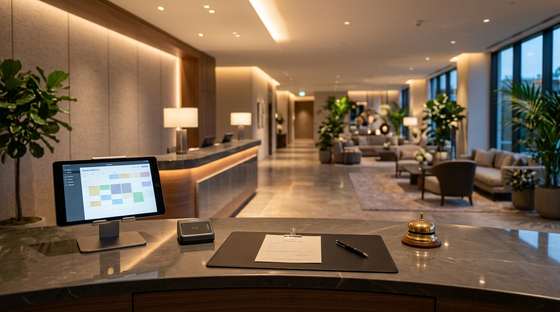
The hotel and the restaurant, in one place.
Reservations, rooms, reception and restaurant bills together. The guest books on the website, asks for what they need from the phone, and the bill lands on the room.
Every feature, as you see it working
Reservation chart
You see all rooms by day, move a reservation with the mouse and immediately see what is free.
Availability
You check in a second whether you have free rooms for a period, by category and floor.
Reservations and folio
The reservation file with guest, payments, advance and folio. You issue the invoice or receipt from the same screen.
Live reception
Guest requests and team tasks, per person, with a timer and an alert when late.
Housekeeping
The state of every room, tasks for housekeepers and a cleaning report, from the phone.
Rates and seasons
Rate lists per period, per room type and per sales channel.
Sales channels
Room allocation per channel and sync log, in a single screen.
Your own website with direct reservations
A hotel website generated from data, with a booking engine and advance payment.
Guest app
Guide, requests, Wi-Fi, breakfast hours and services on the guest’s phone, in 5 languages.
Automatic messages
Confirmations, arrival instructions and thank-you notes sent automatically, at the right time.
Digital keys
You issue room keys and send them to the guest, with history and validity.
Spa and services
Spa and treatment appointments, with a catalogue and booking straight onto the room.
Shop and minibar
Products and services sold to guests, with the minibar tracked per room.
Reviews
You collect reviews and reply from the same place, with the score per source.
Payments and advances
Payment requests, advances and payments tracked per reservation.
Owner panel
Occupancy, revenue and indicators per day and per month, so you can see how the business is doing.
POSRES.cloud — the floor, the kitchen and the bill, in one app
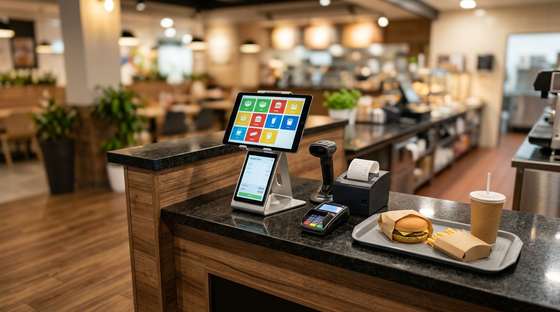
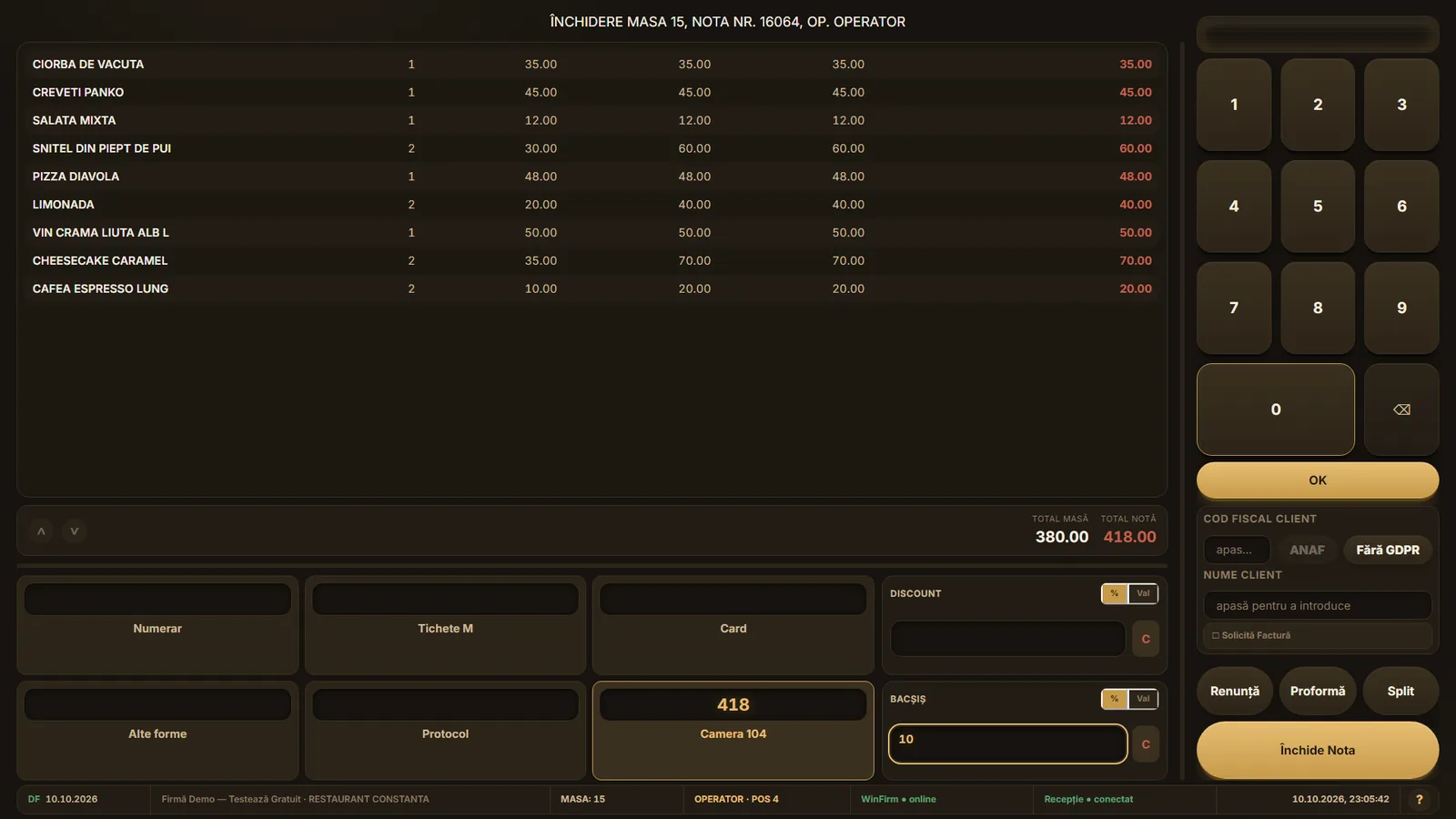
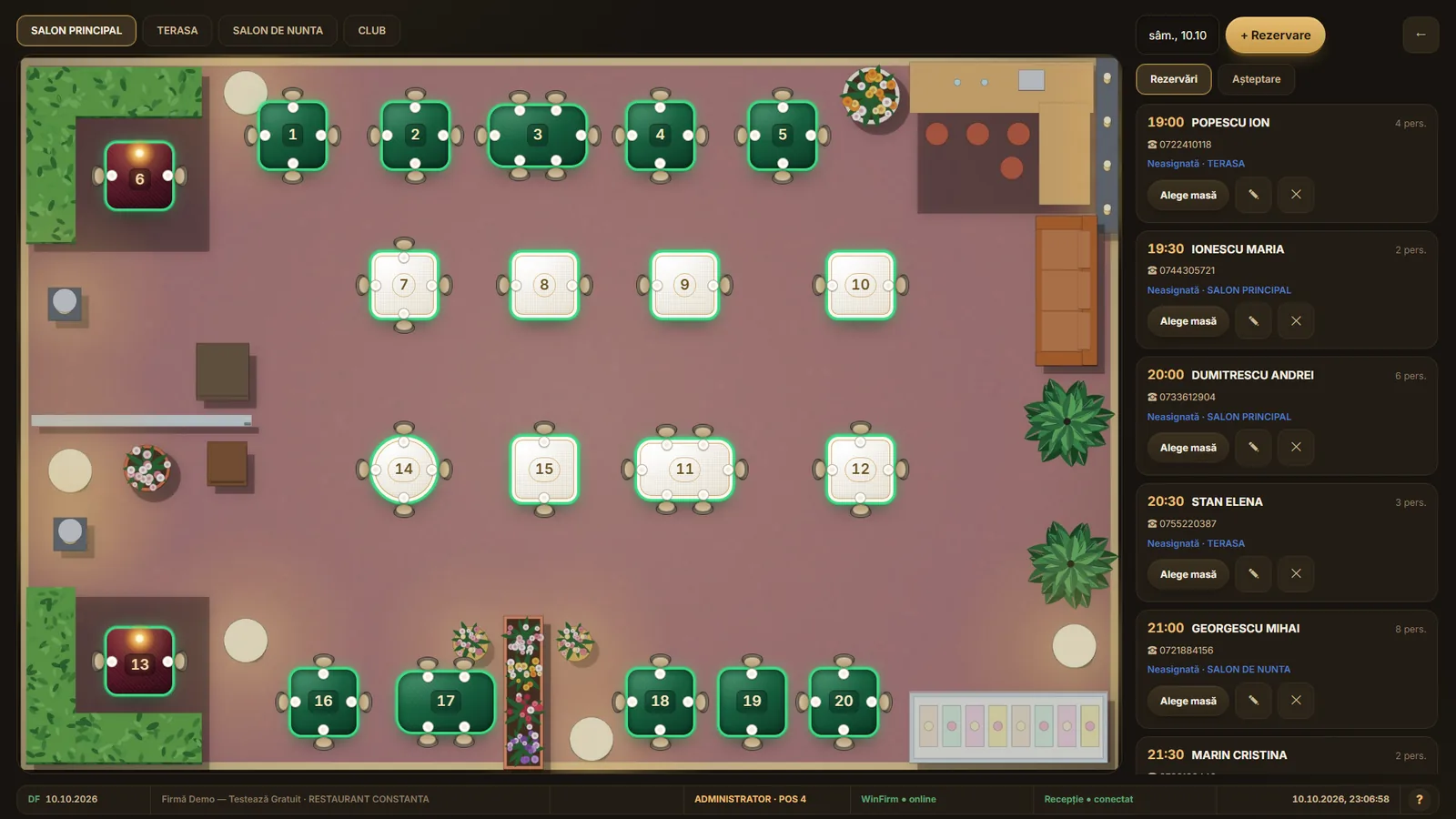
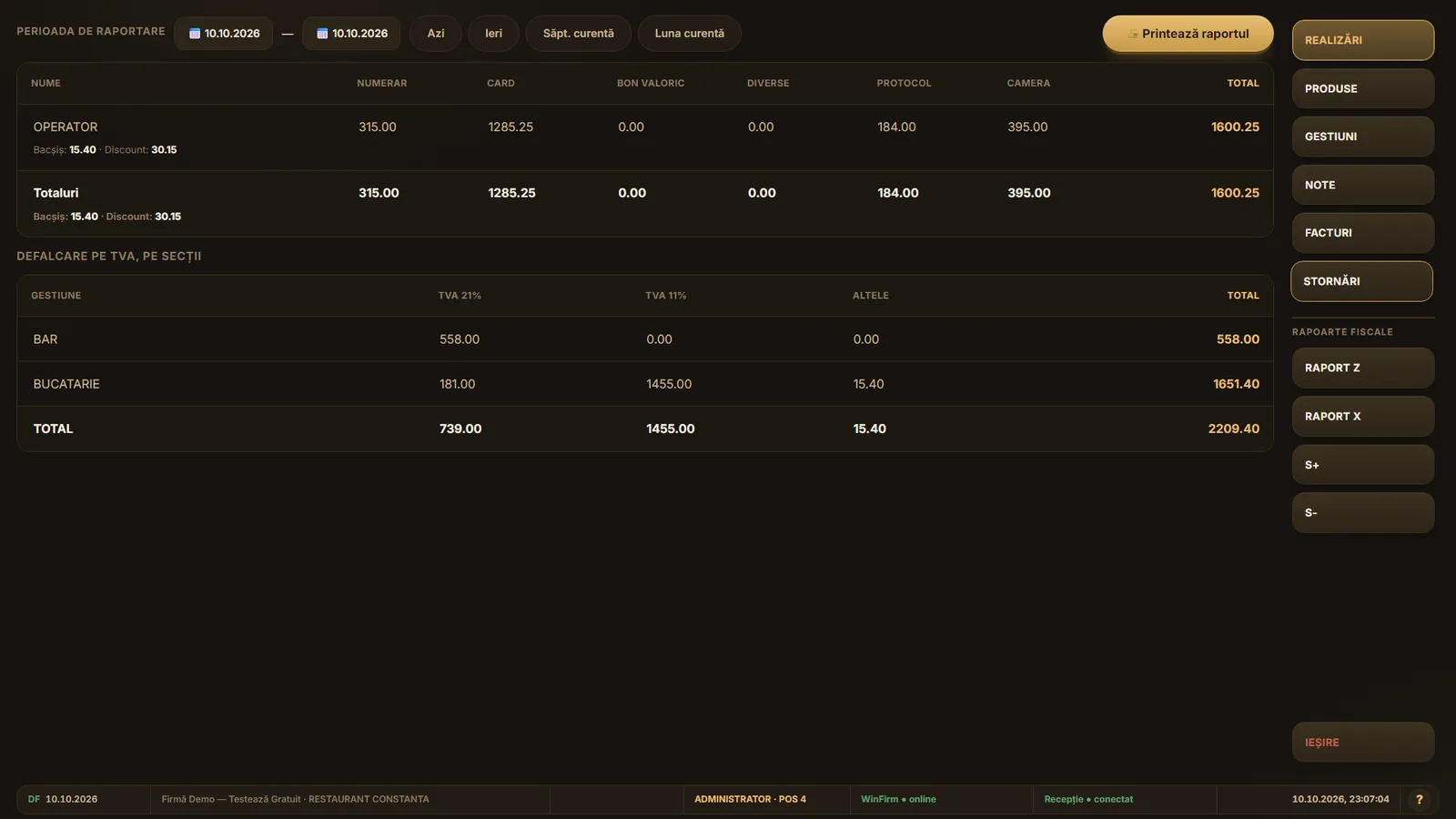
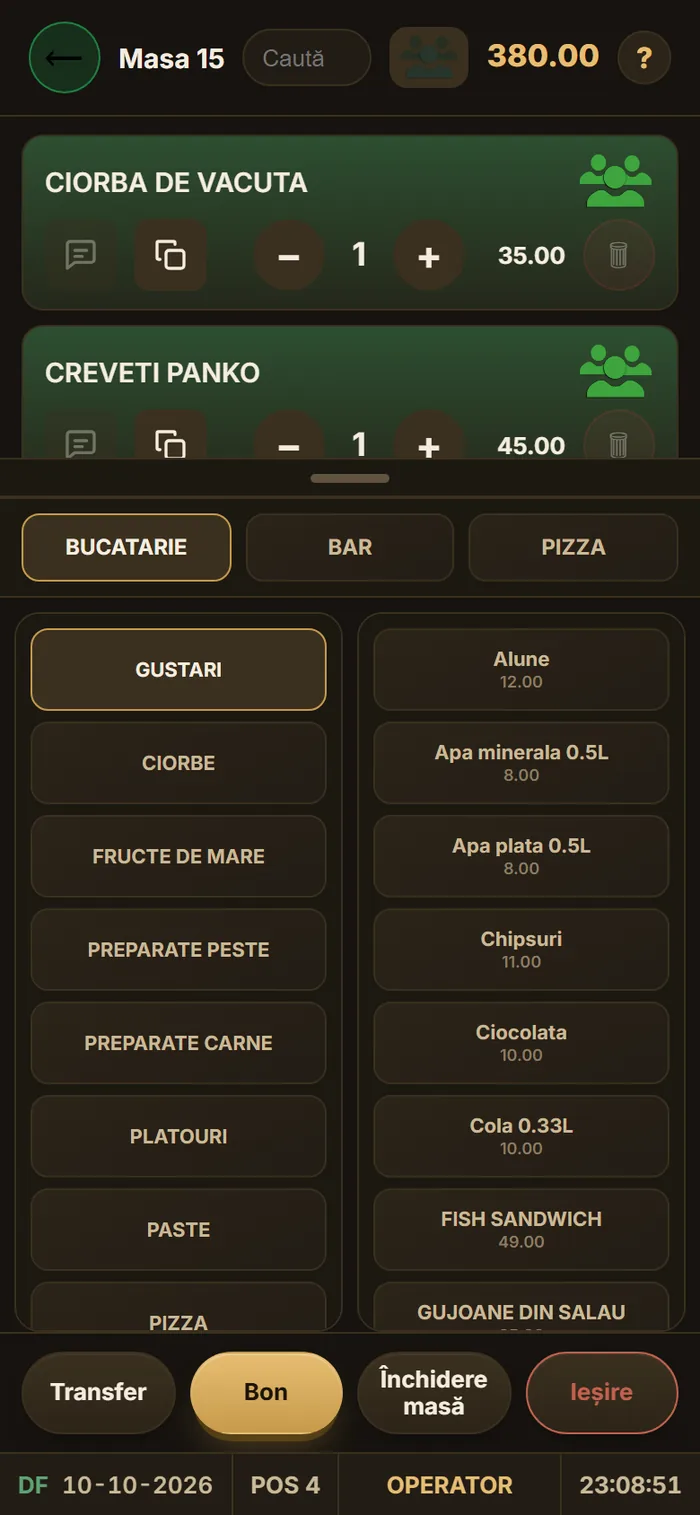
The floor plan with occupied tables, the order sent per station, the kitchen screen and the bill with several payment methods. It works together with WinFirm.cloud (stock, recipes, fiscal receipt, reports) and with WinRoom.cloud (the bill goes to the guest’s room).
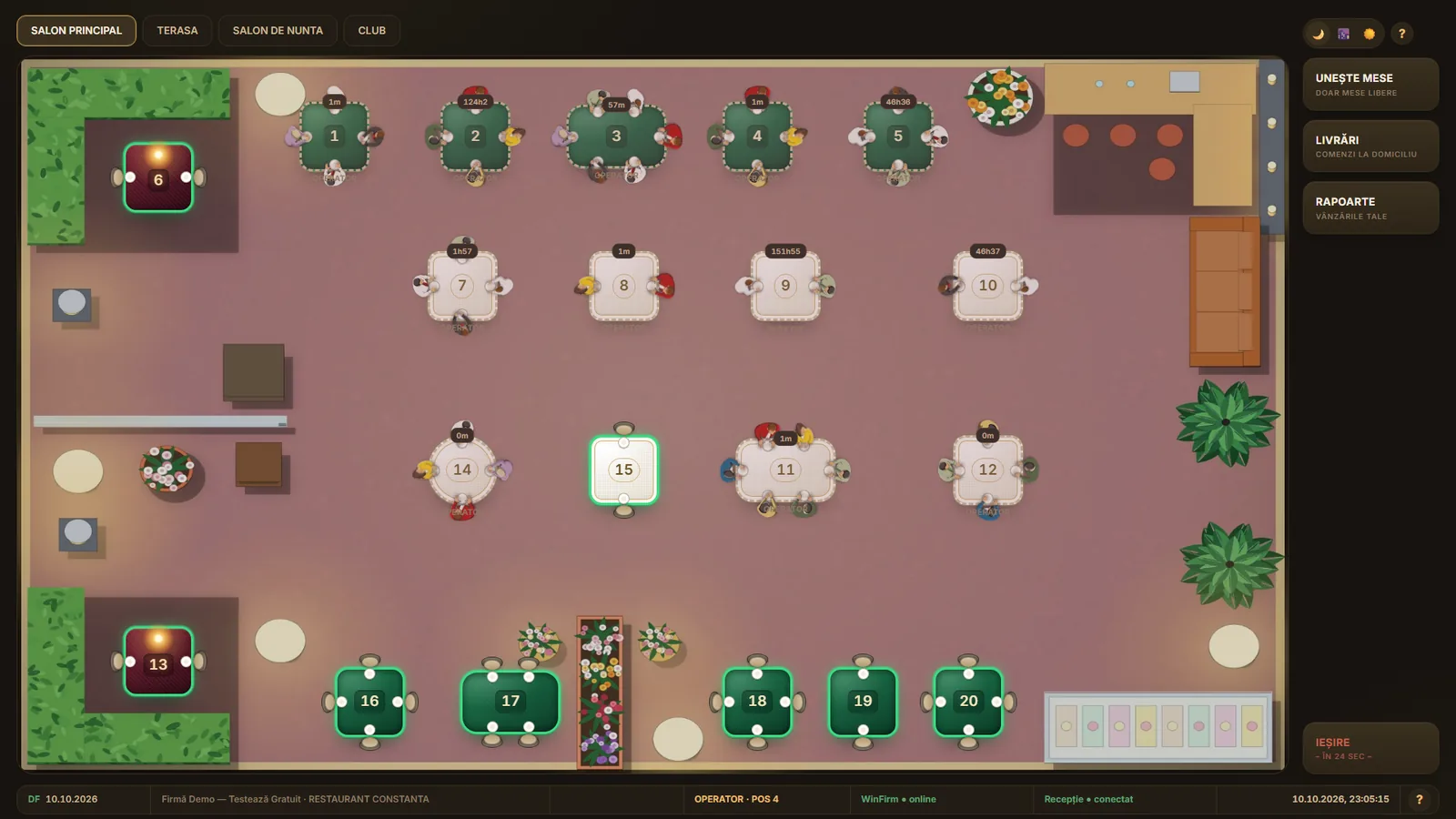
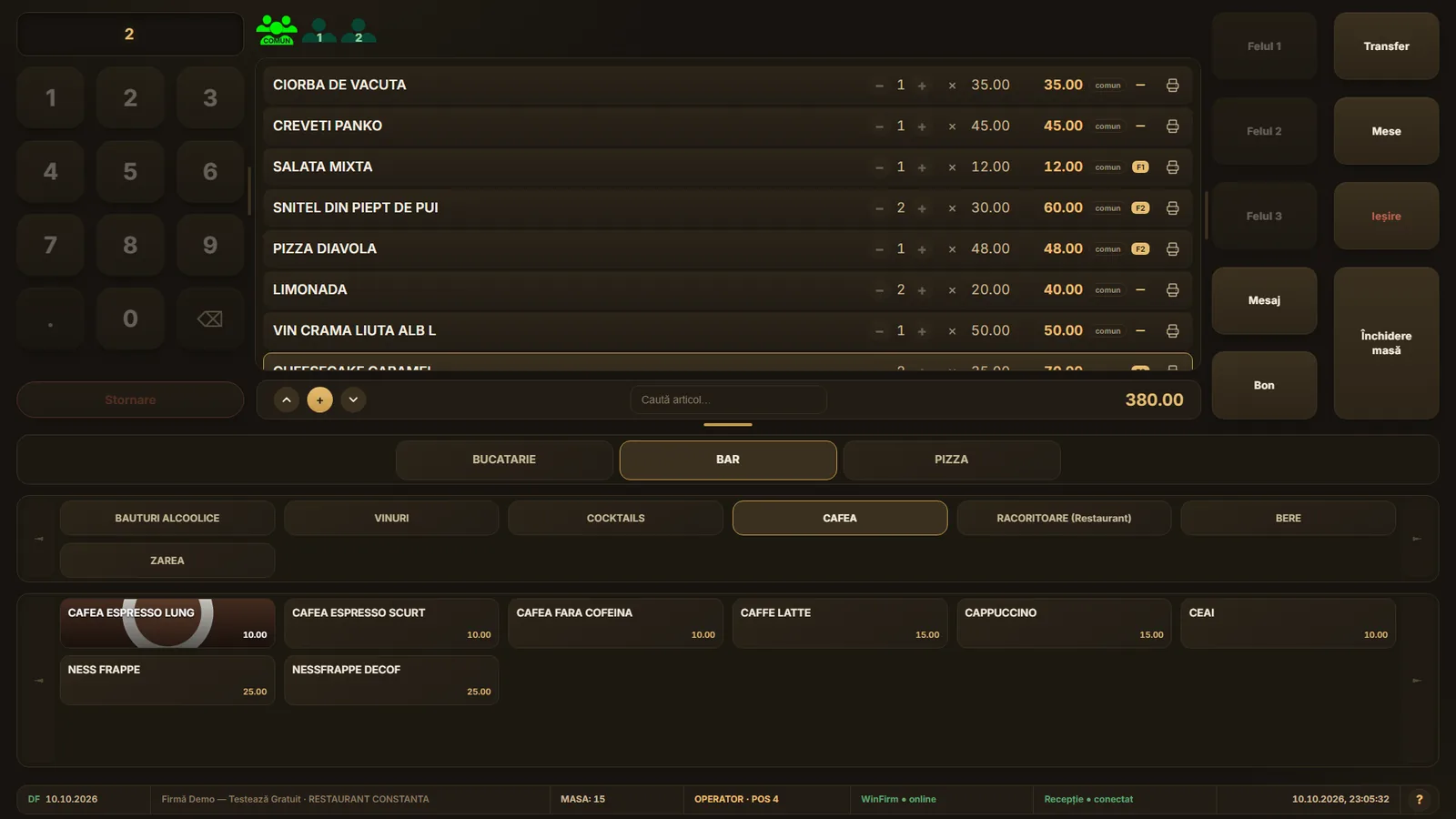
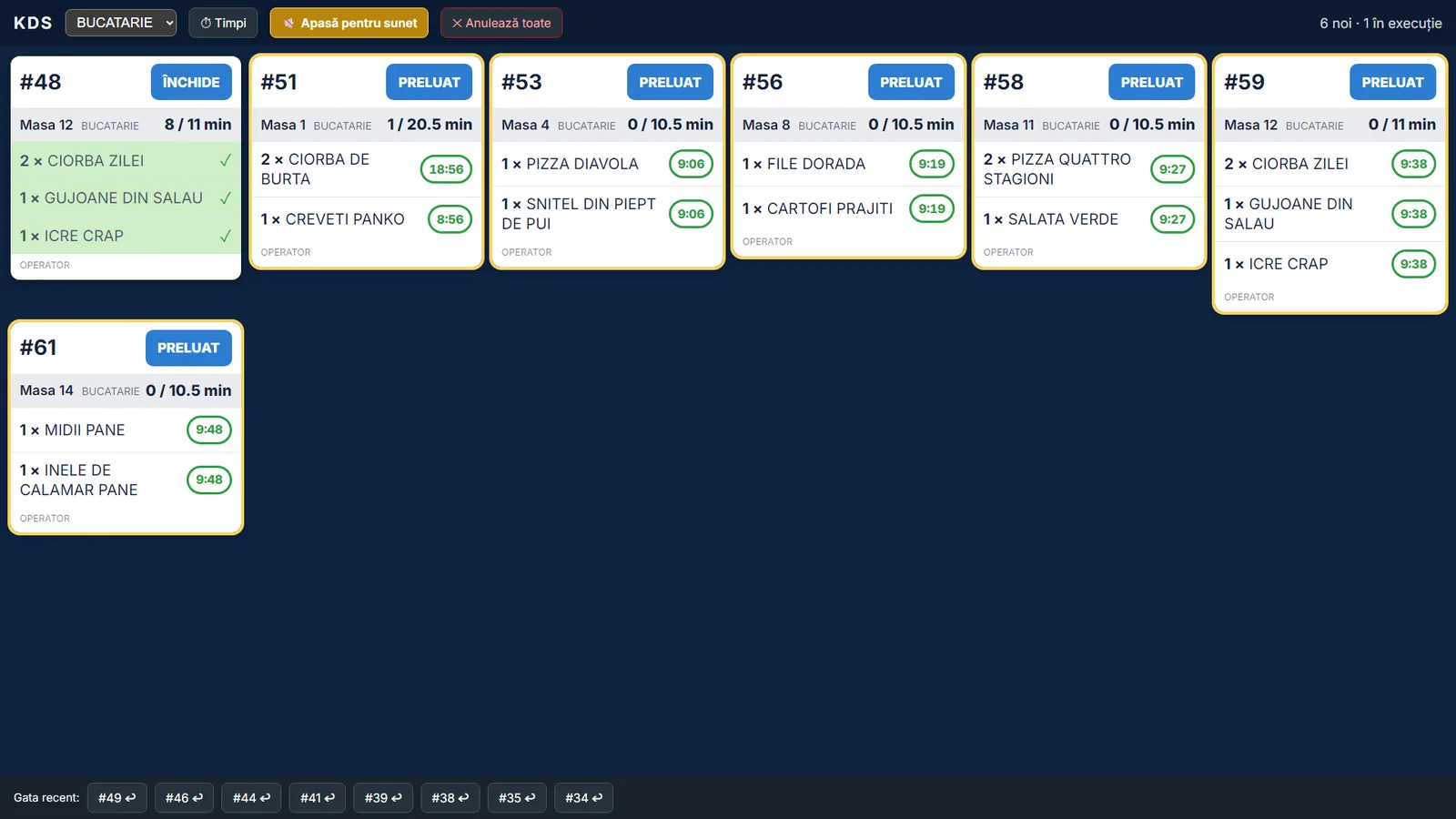
On the phone, at the table
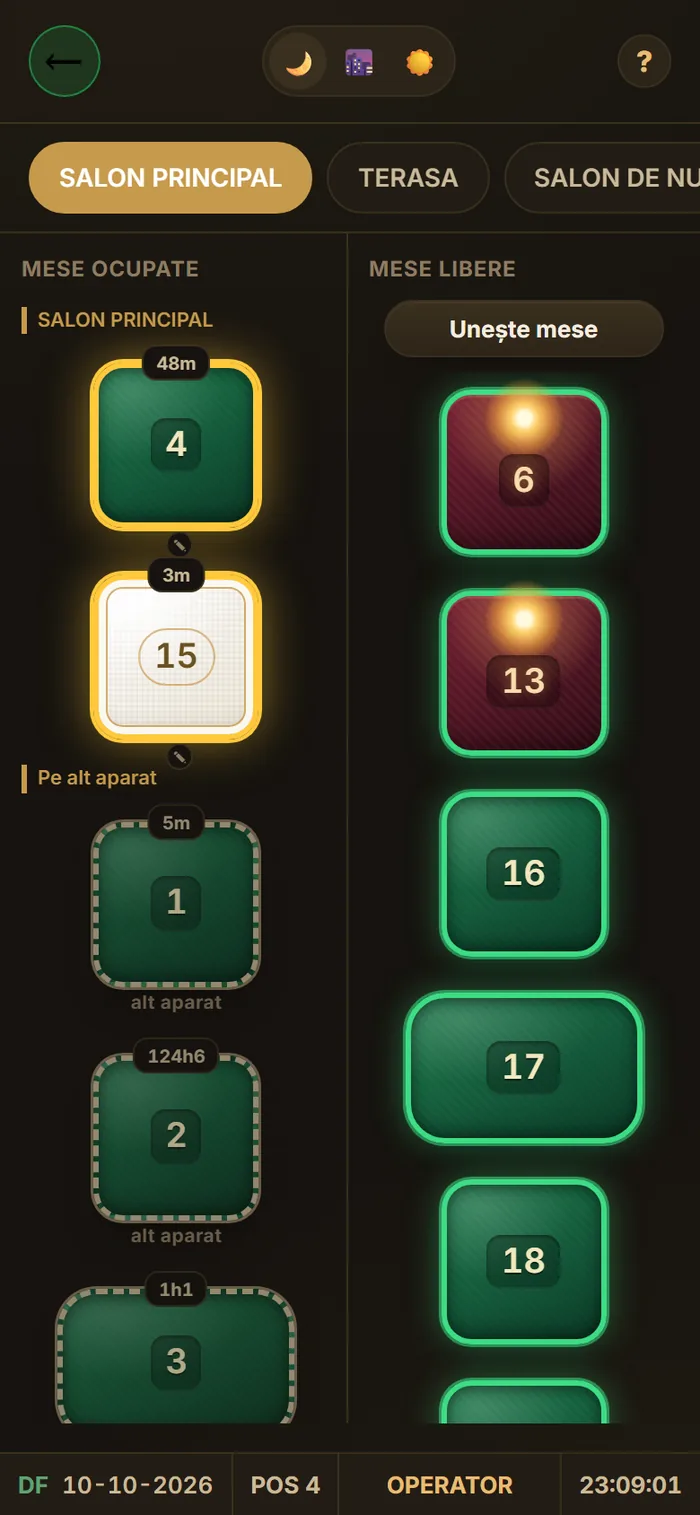
The waiter takes the order on the phone and sends it straight to the kitchen or bar.
The link with WinFirm.cloud and WinRoom.cloud
- WinFirm.cloudRaw materials are deducted from the recipe at every sale; the fiscal receipt and the reports are in the same account.
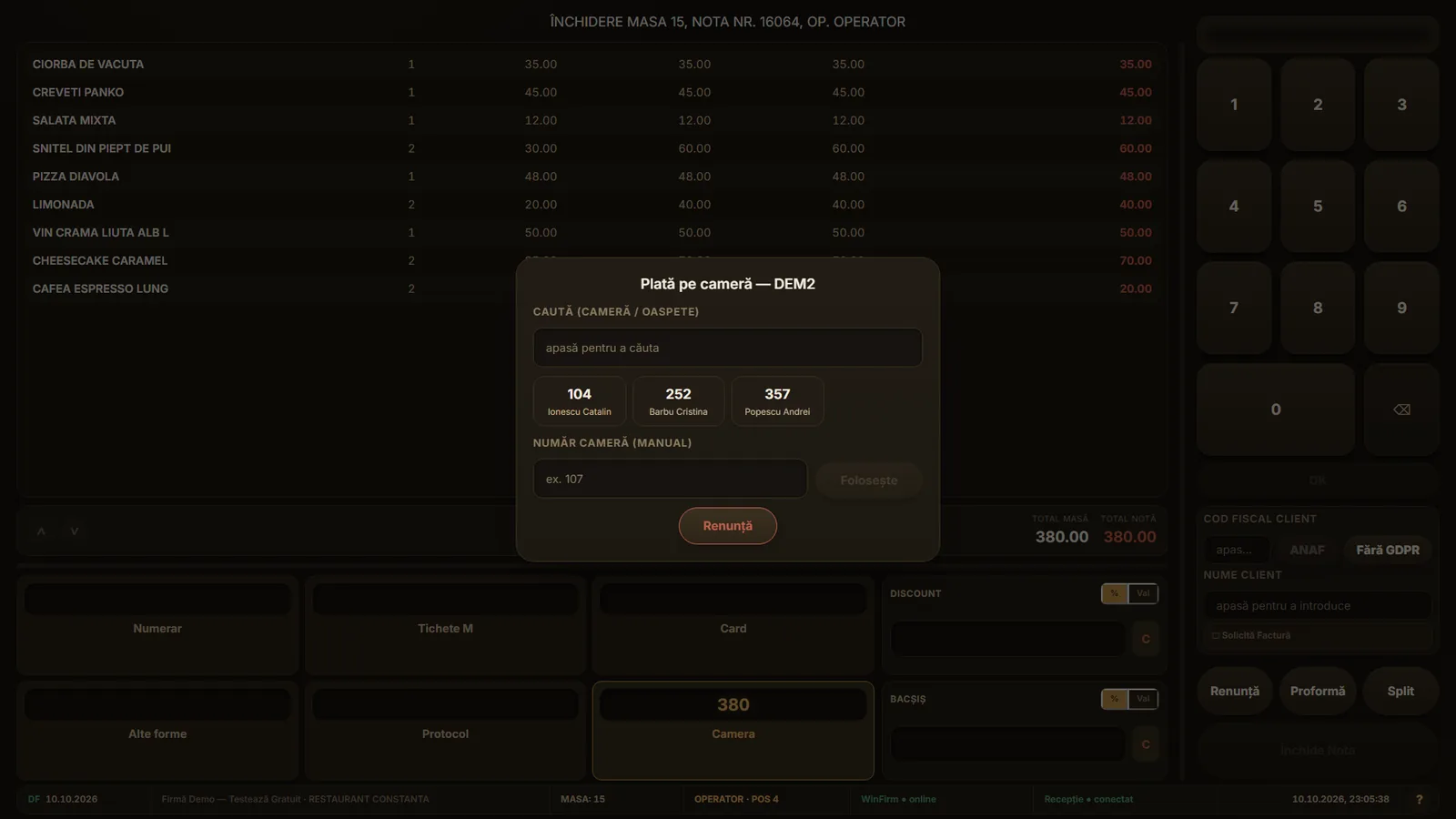
- WinRoom.cloudAt payment you choose “Room”: the consumption lands on the guest’s folio and the bill is closed in the restaurant.
- OfflineThe terminal keeps its data locally and sends it when the connection returns.
- Several terminalsTables are locked on the server, so two waiters can’t open the same table.
Guests and team work from the phone
The guest requests and orders from their own phone, with no app to install. The team receives tasks and alerts directly on the phone.
- Guest appMinibar, services, Wi-Fi, hotel guide and requests to reception, in 5 languages, via a QR code in the room.
- Housekeeper on the phoneSees the rooms to do, marks them clean and gets notified when a task appears.
- Restaurant on a tabletTables, orders to kitchen and bar, and a kitchen screen on a tablet, with a notification when it is ready.
The guest books on the website, arrives, gets the key on the phone and asks for what they need. You see everything in real time, with no paper and no calls between reception, cleaning and restaurant.
For anyone keeping a hotel or guesthouse in order
- Reservations with no overlapsThe day chart shows what is occupied, free or being cleaned.
- The team works from the phoneHousekeepers see the room and the task and can mark it clean from the app.
- The guest has their own appAsks for a towel, sees the breakfast hours, in their own language.
- The restaurant bill goes to the roomPayment on the room, with everything on the same folio.
- Website with direct reservationsNo platform commission on direct bookings.
- Data safetyRole-based access, change log and GDPR requirements.
Bill at the table, receipt and payment on the room
POSRES.cloud handles tables, orders per station and payment. The hotel guest can have the bill put on their room.
POSRES.cloud
Restaurant, bar, terrace- Tables and rooms with table merging and bill splitting
- Orders per station to kitchen and bar, on printer or screen
- Payment on the room for hotel guests
On phone and tablet
Waiters and owner- The waiter takes the order at the table, from the phone
- The kitchen sees what to do and marks “done”
- The owner sees payments and open tables
AI at reception
WinRoom.cloud · price on request- ID card or passport scan at check-in, the data goes into the guest file
- Guest messages translated, with a suggested reply
- Restaurant menu automatically translated into several languages
From account to first sale, in one day
- You create your accountNo card, in minutes.
- You set up your roomsCategories, rates and floors, guided.
- You receive reservationsFrom reception and from your own website.
- You work with your teamEveryone has their own screen, on the phone.
You pay monthly, for what you use
Up to 10 rooms
Small guesthouses and rental apartments.
- Reservations and chart
- Housekeeping on the phone
- Website with reservations
Up to 30 rooms
Guesthouses and small hotels.
- Everything in the small plan
- Automatic messages
- Reviews and minibar
Up to 60 rooms
Mid-size hotels.
- Roles and permissions
- Reports for the owner
- Spa and services
Up to 100 rooms
Large hotels.
- Everything in the small plans
- Digital keys
- Priority support
POSRES.cloud
Restaurant: tables, orders on the phone, kitchen screen.
- Rooms, tables and reservations
- Kitchen and bar on screen
- Payment on the room (WinRoom.cloud)
Prices include VAT. Automatic discount: 5% for 6 months, 10% for 1 year and 10% from 2 licenses in the same order. The currency is chosen by the visitor’s country; the rate shown here is only an example.
What customers ask us most often
What does it cost to start?
You can try it free, with no card. You only pay when you move to a subscription, monthly, only for what you use.
Do I need a computer?
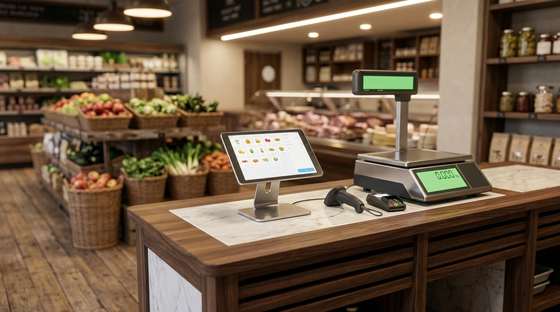
The app runs in the browser, on any computer, tablet or phone. For the cash register and scale there is also a tablet-only setup, no PC.
Do I keep my data if I stop?
Yes. The data is yours and you can export it at any time.
Can I link the restaurant to the hotel?
Yes. The restaurant works with POSRES.cloud and the bill can be charged to the guest’s room.
Do guests have to install anything?
No. The guest app opens in the browser, via a QR code or a link received in a message.